How to make a strong password (and why most advice is wrong)
Updated · Plixoo
Short answer
A strong password is long before it is anything else. Every character you add multiplies the number of combinations an attacker has to try, while adding a symbol only widens the alphabet slightly - so four random words are far stronger than a short password stuffed with punctuation, and far easier to remember. The one thing that ruins any password regardless of length is being a word, phrase or pattern that appears in a leaked wordlist, which is why Password1! falls instantly despite meeting every rule a sign-up form asks for. Use a long passphrase, never reuse it across sites, and turn on two-factor authentication wherever it is offered.
What a password attack actually looks like
Nobody sits and guesses. When a site is breached, attackers get a file of scrambled passwords and run it against hardware that tries billions of candidates per second. Your password is safe only if the number of things they have to try is impractically large.
Crucially, they do not start at aaaa and work up. They start with wordlists built from every password ever leaked, then common substitutions, then common patterns - a capital at the start and a digit and exclamation mark at the end, because that is what password rules push everyone toward.
So there are two separate questions. Is your password in a list someone already has? And if not, how many combinations would it take to reach it?
Why length beats everything else
Adding a character multiplies the search space by the size of the alphabet. Adding a character type only widens the alphabet itself, which has a far smaller effect than people assume.
Work it through. A lowercase alphabet is 26 characters, so an eight-character lowercase password gives about 200 billion combinations. Add symbols and digits and you widen the alphabet to about 95, giving roughly 6,600 trillion for the same eight characters - a real improvement. But simply making it twelve lowercase characters instead gives about 95,000 trillion, which beats it comfortably, and it is a great deal easier to type on a phone.
Password Fort makes this visible. Build a password character by character and watch the estimated crack time move: two more letters sends it jumping, one more symbol barely nudges it.
- Every extra character multiplies the combinations
- Every extra character type only widens the alphabet
- Twelve simple characters beat eight complicated ones
- Length is also the part you can remember
The advice that does not work
Swapping letters for lookalike digits does almost nothing. Turning password into p4ssw0rd feels clever, but crackers have applied those substitutions automatically for twenty years - it is one of the first things a wordlist attack tries.
Forced complexity rules backfire for the same reason. If a site demands a capital, a digit and a symbol, almost everyone produces the same shape: capital at the front, digit and exclamation mark at the end. The rule narrows the search rather than widening it.
Forced rotation every ninety days backfires too. People respond by incrementing a number, so Summer2025! becomes Summer2026!, which any attacker with the old one will try first. Both the UK's NCSC and America's NIST now advise against routine expiry for exactly this reason.
What to do instead
Use a passphrase of four or more unrelated words. Something like copper-lantern-dust-marble is long, memorable and not in any wordlist, because wordlists contain phrases people actually use rather than random combinations.
Never reuse a password across sites. Reuse is what turns one company's breach into your problem everywhere, and credential stuffing - trying a leaked pair on hundreds of other sites - is completely automated.
Use a password manager for everything you do not need to type from memory, and keep two or three strong memorised passphrases for the accounts that unlock the rest. Then turn on two-factor authentication where it is offered: it means a stolen password on its own is not enough.
- Four or more unrelated words, not a quotation or a song lyric
- A different password for every site
- A password manager for the long tail
- Two-factor authentication on email and banking first
Teaching this to children
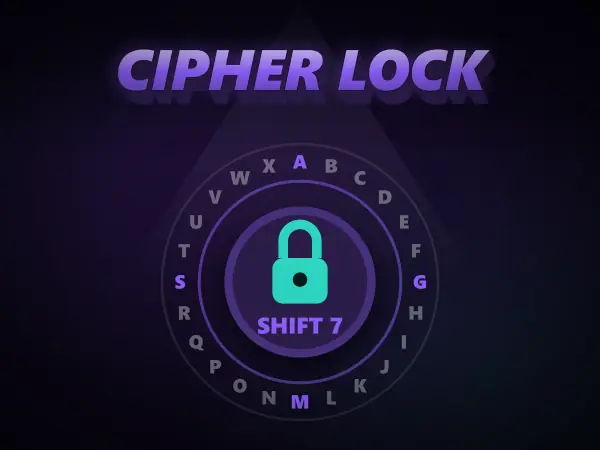
Rules without reasons do not survive. A child who has watched an estimated crack time collapse from centuries to instantly the moment they typed a common word understands the wordlist problem permanently, and one who has broken a cipher by trying every key understands what a key is for.
Password Fort and Cipher Lock are built for exactly that: they show the attacker's side, which is the part that makes the advice make sense.
Games mentioned here
Frequently asked questions
What makes a password strong?
Length first, unpredictability second. Every character you add multiplies the combinations an attacker must try, while adding a symbol only widens the alphabet a little. A long passphrase of unrelated words beats a short password full of punctuation, provided it is not a phrase that appears in a wordlist.
Is a passphrase better than a password?
Usually yes. Four unrelated words give you enough length to be genuinely hard to brute force while staying easy to remember and quick to type on a phone. The important word is unrelated: a song lyric or a famous quotation is a phrase people use, which means it is already in the lists.
Does changing your password regularly help?
Not as a routine. Forced rotation makes people increment a number on the end, which is the first thing an attacker with the old password will try. Both the NCSC and NIST now recommend against scheduled expiry, and instead changing a password promptly when there is any sign it has been exposed.
How long should a password be?
Twelve characters is a sensible floor and sixteen or more is better, particularly for email, banking and anything that can reset other accounts. Getting there with extra words rather than extra symbols is both stronger and easier to live with.
More guides
The best free online games you can play with no download
Twelve browser games worth your time, sorted by what you actually want out of them.
How to play 2 player games on one phone
No second device, no accounts, no lobby. Just one screen and two people taking turns.
Are browser games safe for kids? What to actually check
The risks in kids' games are rarely the games. Here is what to actually look at.
How to get better at puzzle games
Most puzzle games have a technique. Knowing it beats being clever every time.
Why classic arcade games are still good
Five games from between 1972 and 1984 that nobody has improved on.
What to play when you are bored and cannot decide
Skip the scrolling. Answer two questions and start playing.
How does AI work? Explained for kids (and everyone else)
No metaphors about brains. What an AI actually does, why it gets things wrong, and how to show a child rather than tell them.
The best coding games for kids, and what each one actually teaches
Coding games are good at the part tutorials skip. Here is what each one teaches and where they stop being enough.
How computers actually work, from switches upward
Four layers, bottom to top. None of them are complicated, and together they are the whole machine.
How to solve the Tower of Hanoi, and why it teaches recursion
The three-step method that solves any size of tower, the by-hand shortcut, and the idea behind it.
How to spot a phishing message: the warning signs
The seven signs that give a scam message away, and the one habit that beats almost all of them.
How to learn touch typing: a simple plan that works
Where your fingers go, what to practise first, and how long it really takes.
Morse code alphabet: the chart, the rules and how to learn it
Every letter and number, the timing rules, and the quickest way to learn it by ear.
How does sat nav find the fastest route? Pathfinding explained
The search methods behind sat nav and game AI, and why the clever one checks far fewer roads.