The best coding games for kids, and what each one actually teaches
Updated · Plixoo
Short answer
The best coding games for kids teach the thinking rather than the typing: sequencing instructions precisely, spotting why a program did the wrong thing, and testing an idea properly. For a first step, a game where you write the whole program before it runs - like Robot Route - teaches sequencing and loops the way an Hour of Code exercise does. For the next step, debugging games where you find the broken line in a short program build the skill that beginners most lack. Games will not teach a specific language's syntax, so they work best alongside, or just before, writing real code in Scratch or Python.
Why coding games work, and where they stop
Learning to code is usually presented as learning a language, which is why so many people stall after their first tutorial. Syntax is the easy part and it is the part you can look up. The hard parts are thinking in exact sequences, reading code that does not work, and testing an idea rather than hoping.
Games are unusually good at those because they give instant, unambiguous feedback on every attempt, and they let a child fail twenty times in five minutes without the failure costing anything. That is the right shape for building a skill.
What they will not do is teach a language. Nobody finishes a coding game able to write Python. Treat them as the thing that makes the first real tutorial make sense, rather than a replacement for it.
First: write the program before it runs
The single most important habit in programming is that you write the whole sequence, then run it. Nudging something one step at a time with arrow keys teaches nothing, because there is never a gap between what you intended and what you said.
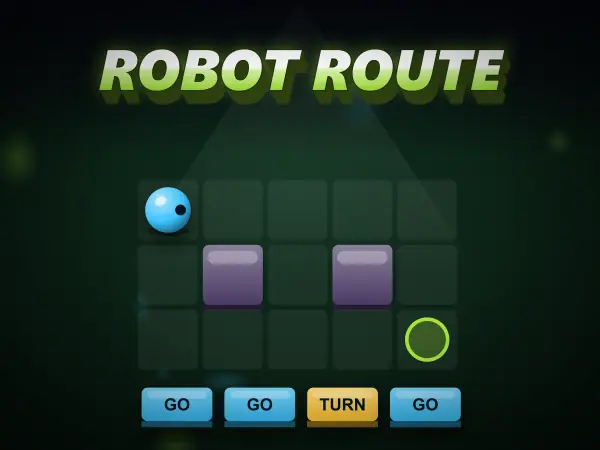
Robot Route enforces this. You lay out the full list of instructions, press run, and watch the robot do exactly what you wrote - including the bit you got wrong. That gap between intention and instruction is where every bug in the history of software has lived, and feeling it early is worth a great deal.
This suits roughly age seven and up, and it introduces loops naturally: a child who has typed 'forward' eight times in a row is very receptive to being shown a repeat block.
- Sequencing - instructions happen in order, and order matters
- Loops - repeating a block instead of copying it out
- Prediction - reading a program and saying what it will do before running it
Second: read code that is wrong
Beginners are taught to write code and then thrown into a world where most of their time is spent working out why code does not work. Debugging is a distinct skill and it is almost never practised deliberately.
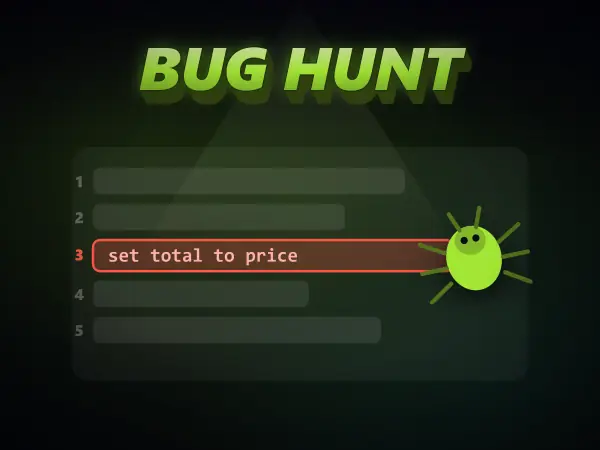
Bug Hunt is built around exactly that. Each puzzle gives you the three things a real bug report gives you - what the program should do, what it actually did, and the source - and one line is wrong. The bugs are the common ones rather than typos: the loop that runs one time too few, the running total that gets overwritten instead of added to, the comparison facing the wrong way, the return that quits before the work is done.
The programs are written in plain-English pseudocode, so a child can read them without knowing any language, and the reasoning transfers to all of them.
- Off-by-one - counting from zero, and the loop that stops one short
- Assignment versus accumulation - set total to price, not total plus price
- Inverted comparisons - greater-than where less-than was meant
- Early return - quitting the loop before all the work is done
Third: learn to test properly
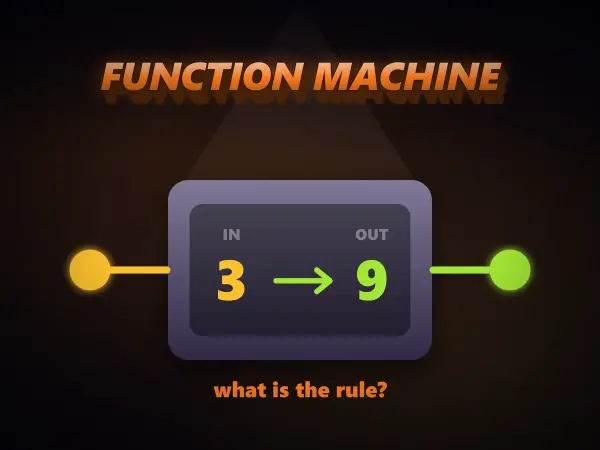
The most common mistake a new programmer makes is deciding their code works after one successful run. Function Machine attacks that directly: a mystery machine turns numbers into other numbers, and you have to name the rule.
Feed in 3 and get 6 back, and the rule could be doubling, adding three, or several other things. Nothing is proved. You only learn the answer by choosing an input where the candidate rules disagree - which is precisely what writing a test case is, and the scoring rewards doing it in few, well chosen tests rather than mashing every number.
What comes after the games
Once a child is comfortable sequencing, debugging and testing, move to something where they build their own thing. Scratch is the usual next step for under-elevens and remains genuinely good. For older children, Python is the friendliest first text language, and the transition is much easier when the concepts already feel familiar.
The signal that they are ready is not that they have finished the games. It is that when something goes wrong they start reading their own instructions back instead of guessing.
Games mentioned here
Frequently asked questions
What age should a child start coding?
Around five or six for the idea of giving a machine a sequence of instructions, and about eight for real programming concepts like loops and conditions. Debugging comes naturally the first time a program goes wrong, which is usually within minutes of the first program.
Can you really learn to code by playing games?
You can learn to think like a programmer, which is the slow part. Games drill sequencing, debugging and testing well because the feedback is instant. What they cannot do on their own is teach a particular language, so they work best as preparation for, or alongside, writing real code.
Are coding games for kids free?
Many are. The coding games on Plixoo run in the browser with no download, no account and no cost, which matters on school devices where installing anything is usually blocked. Scratch and Hour of Code are also free and are the natural next step.
What is the best first programming language for a child?
Scratch for under-elevens, because dragging blocks removes typing and syntax errors from the equation entirely and lets them concentrate on logic. For older children, Python, because the code reads close to English and there is very little ceremony before something happens on screen.
More guides
The best free online games you can play with no download
Twelve browser games worth your time, sorted by what you actually want out of them.
How to play 2 player games on one phone
No second device, no accounts, no lobby. Just one screen and two people taking turns.
Are browser games safe for kids? What to actually check
The risks in kids' games are rarely the games. Here is what to actually look at.
How to get better at puzzle games
Most puzzle games have a technique. Knowing it beats being clever every time.
Why classic arcade games are still good
Five games from between 1972 and 1984 that nobody has improved on.
What to play when you are bored and cannot decide
Skip the scrolling. Answer two questions and start playing.
How does AI work? Explained for kids (and everyone else)
No metaphors about brains. What an AI actually does, why it gets things wrong, and how to show a child rather than tell them.
How computers actually work, from switches upward
Four layers, bottom to top. None of them are complicated, and together they are the whole machine.
How to make a strong password (and why most advice is wrong)
Length beats symbols, wordlists beat cleverness, and the advice on most sign-up forms is a decade out of date.
How to solve the Tower of Hanoi, and why it teaches recursion
The three-step method that solves any size of tower, the by-hand shortcut, and the idea behind it.
How to spot a phishing message: the warning signs
The seven signs that give a scam message away, and the one habit that beats almost all of them.
How to learn touch typing: a simple plan that works
Where your fingers go, what to practise first, and how long it really takes.
Morse code alphabet: the chart, the rules and how to learn it
Every letter and number, the timing rules, and the quickest way to learn it by ear.
How does sat nav find the fastest route? Pathfinding explained
The search methods behind sat nav and game AI, and why the clever one checks far fewer roads.