How to learn touch typing: a simple plan that works
Updated · Plixoo
Short answer
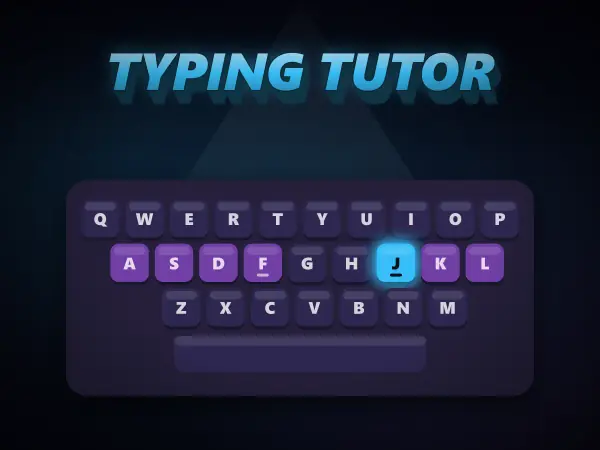
Touch typing means typing without looking at the keyboard, using all ten fingers, with each finger responsible for its own keys. Rest your fingers on the home row: A S D F for the left hand and J K L ; for the right, with your index fingers on the small bumps on F and J and your thumbs on the space bar. Learn the home row first, then the top row, then the bottom row, and practise accuracy before speed. With 15 to 20 minutes of practice a day, most people can touch type comfortably within a few weeks.
Where each finger goes
Every key belongs to one finger, and that finger always presses it. Your hands return to the home row between keys, so your fingers learn distances instead of your eyes searching for letters.
- Left little finger: Q A Z (and Shift, Tab, Caps Lock)
- Left ring finger: W S X
- Left middle finger: E D C
- Left index finger: R F V T G B
- Right index finger: Y H N U J M
- Right middle finger: I K and comma
- Right ring finger: O L and full stop
- Right little finger: P ; / and the keys to their right
- Thumbs: space bar
Accuracy first, speed later
The fastest way to become a fast typist is to type slowly and correctly at first. Every time you hit the wrong key and fix it, your fingers practise the wrong movement. Aim for 95 percent accuracy or better before trying to go quicker; speed arrives by itself once the movements are automatic.
Resist looking down. It feels slower for the first few days, but glancing at the keys is exactly the habit that caps most self-taught typists at a lower speed.
A practice plan
Short, daily sessions beat long weekly ones, because the skill is stored as muscle memory that builds overnight.
- Week 1: home row only - asdf jkl; - until it feels natural
- Week 2: add the top row, then mix it with the home row
- Week 3: add the bottom row and capital letters with Shift
- Week 4 onwards: real words and sentences, then numbers and punctuation
How typing speed is measured
Typing speed is counted in words per minute, where a 'word' is standardised as five characters, spaces included. So typing 200 characters in a minute is 40 words per minute. Good tests also report accuracy, because 60 words per minute with lots of mistakes is slower in practice than 45 with none.
Games mentioned here
Frequently asked questions
How long does it take to learn touch typing?
Most people can type the whole alphabet without looking after two to four weeks of 15 to 20 minutes a day. Getting fast takes longer, but it happens naturally with everyday typing once the finger positions are automatic.
What is a good typing speed?
Around 40 words per minute is a comfortable everyday speed, 60 or more is fast, and professional typists often exceed 80. For children, accuracy matters far more than speed at first.
Why do the F and J keys have bumps?
The small raised bumps on F and J let your index fingers find the home row by touch, so you can put your hands in the right place without looking down.
What age should kids learn to touch type?
Many children are ready at around seven or eight, once their hands can comfortably span the home row. Short, game-like lessons work best, and starting before bad two-finger habits set in makes it much easier.
More guides
The best free online games you can play with no download
Twelve browser games worth your time, sorted by what you actually want out of them.
How to play 2 player games on one phone
No second device, no accounts, no lobby. Just one screen and two people taking turns.
Are browser games safe for kids? What to actually check
The risks in kids' games are rarely the games. Here is what to actually look at.
How to get better at puzzle games
Most puzzle games have a technique. Knowing it beats being clever every time.
Why classic arcade games are still good
Five games from between 1972 and 1984 that nobody has improved on.
What to play when you are bored and cannot decide
Skip the scrolling. Answer two questions and start playing.
How does AI work? Explained for kids (and everyone else)
No metaphors about brains. What an AI actually does, why it gets things wrong, and how to show a child rather than tell them.
The best coding games for kids, and what each one actually teaches
Coding games are good at the part tutorials skip. Here is what each one teaches and where they stop being enough.
How computers actually work, from switches upward
Four layers, bottom to top. None of them are complicated, and together they are the whole machine.
How to make a strong password (and why most advice is wrong)
Length beats symbols, wordlists beat cleverness, and the advice on most sign-up forms is a decade out of date.
How to solve the Tower of Hanoi, and why it teaches recursion
The three-step method that solves any size of tower, the by-hand shortcut, and the idea behind it.
How to spot a phishing message: the warning signs
The seven signs that give a scam message away, and the one habit that beats almost all of them.
Morse code alphabet: the chart, the rules and how to learn it
Every letter and number, the timing rules, and the quickest way to learn it by ear.
How does sat nav find the fastest route? Pathfinding explained
The search methods behind sat nav and game AI, and why the clever one checks far fewer roads.