Packet Path
Tap a glowing router to hop to it, Undo to step back, Hint if stuck. Desktop: arrow keys pick a router, Enter hops, Backspace undoes, H for a hint.
What is Packet Path?
Packet Path is a free game about how the internet really moves data. Loading a page does not send one message down one pipe - your message is chopped into packets, and each packet is handed from router to router, with every router choosing where to send it next. You hop a packet across a network of routers looking for the quickest route, and in Outage mode a cable dies while your packet is in flight, which is the clearest possible demonstration of why the internet keeps working when things break.
How to play Packet Path
Controls: Tap a glowing router to hop to it, Undo to step back, Hint if stuck. Desktop: arrow keys pick a router, Enter hops, Backspace undoes, H for a hint.
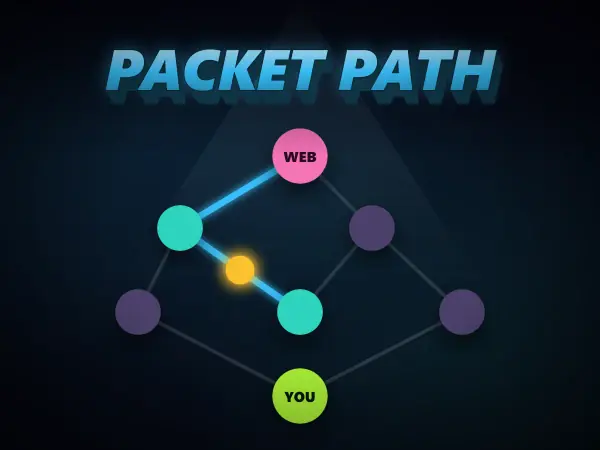
- 1Your laptop is at the bottom and the server is at the top, with routers in between. Each cable shows how many milliseconds (ms) it takes to cross.
- 2Tap a glowing router to hop your packet to it. Only routers joined by a cable to where your packet is now can be reached.
- 3Add up the cables as you go. The ROUTE TIME counter keeps the total, and the smallest total is the fastest route.
- 4Reach the SERVER and watch your packet travel. The fastest route scores a point; if you missed it, the quickest way glows green on the map.
- 5Sometimes a cable is cut while your packet is in flight. The packet is lost, so send it again along another way round.
- 6Tap Undo to step back or Hint for a gold arrow. Route it grows from 2 routes to a big mesh over 5 rounds; Outage cuts a cable every round.
Packet Path tips and strategy
- Add the numbers before you commit. The route with the cheapest first hop is very often not the cheapest route overall.
- Do not trust the cheapest first cable. In the bigger networks a cheap first hop often leads into slow cables, so add up the whole route before you commit.
- A long first hop that opens up two cheap hops afterwards usually beats a short first hop into an expensive corner. Routers face this same trade-off constantly.
- In Outage mode, notice that the network is never actually cut off. There is always another way round, and that redundancy is a deliberate design choice rather than luck.
Packet Path FAQ
What is a packet?
A small chunk of data with an address attached. Anything you send is split into many of them, each travelling independently and possibly by different routes, and your device reassembles them at the other end. It is why a slow connection degrades gradually instead of failing completely.
What does a router actually do?
It receives a packet, looks at where the packet is trying to get to, and forwards it to whichever neighbouring router is the best next step. No single router knows the whole path - each one only makes the next decision, which is what lets the network be enormous without anything being in charge.
Why does the internet keep working when a cable breaks?
Because there is no central route. Routers continuously share which links are up, so when one fails they simply start forwarding along a different one. The packets already in flight on the dead link are lost and re-sent, which is what Outage mode in this game shows you.
What is latency and why does it matter?
Latency is how long a packet takes to arrive, measured in milliseconds, and it is mostly the sum of every hop along the way. It is a separate thing from bandwidth: a connection can move huge files quickly and still feel sluggish in a game, because what a game cares about is the round trip.