Typing Tutor
Type on your keyboard. No keyboard? Tap the keys on screen.
What is Typing Tutor?
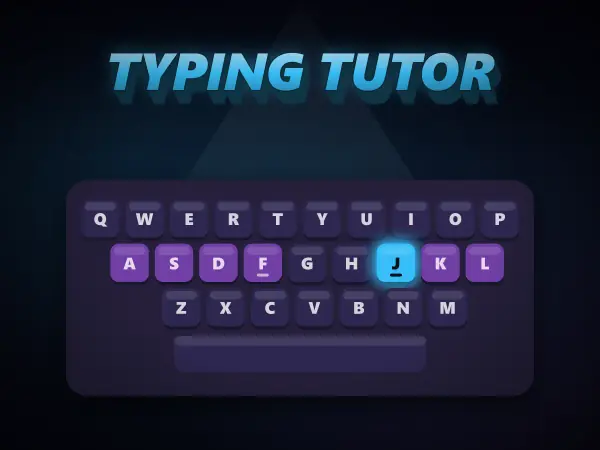
Typing Tutor is a free online typing game that teaches touch typing step by step. An on-screen 3D keyboard lights up the next key, every key is colour-coded by the finger that should press it, and a pair of hands shows exactly which finger to use. Twelve lessons start on the home row with F and J, then add the top row, the bottom row, common words and short sentences. Live words-per-minute and accuracy scores track your progress, a mistake never costs you the line, and a 1-minute typing test shows how fast you have become.
How to play Typing Tutor
Controls: Type on your keyboard. No keyboard? Tap the keys on screen.
- 1Rest your fingers on the home row: A S D F for the left hand, J K L ; for the right. Feel the bumps on F and J.
- 2Type the highlighted letter on the paper. The key to press glows on the keyboard.
- 3The hands below lift the finger that should press it, and every key is coloured by its finger.
- 4Made a mistake? The cursor waits for the right key, so just press it and carry on.
- 5Finish a lesson to unlock the next one, from the home row all the way to full sentences.
- 6Try the 1-minute typing test to measure your words per minute.
Typing Tutor tips and strategy
- Always bring your fingers back to the home row between keys. The bumps on F and J let you find it without looking.
- Keep your eyes on the screen, not your hands. It feels slower at first, but it is the only way to get really fast.
- Aim for accuracy before speed. Typing slowly and correctly builds the finger memory that speed comes from.
- Use the finger the guide lights up, even when another one feels easier. Each finger owning its own keys is what makes touch typists quick.
Typing Tutor FAQ
What is touch typing?
Touch typing means typing without looking at the keyboard, using all ten fingers. Each finger is responsible for a few keys and returns to the home row between presses, so your hands always know where they are.
What are the home row keys?
A S D F for the left hand and J K L ; for the right. Your index fingers rest on F and J, which have small bumps so you can find them by touch. Every other key is a short reach from there.
How is typing speed (WPM) measured?
Words per minute counts every 5 characters you type, including spaces, as one word, then divides by the minutes taken. Around 40 WPM is often quoted as a typical adult speed; beginners usually start well below that and improve with regular practice.
How long does it take to learn to touch type?
Most learners feel comfortable with the finger positions after a couple of weeks of short daily practice. Ten to fifteen minutes a day works better than one long session.